
MPS order entry ROW Yellow Sales (April 1 – June 30, 2026) |
|
Version History
Version | Date | Description |
1.0 | August 2023 | initial version |
2.0 | March 2026 |
|
|
|
|
Related Documents

TABLE OF CONTENTS
Functional Description
Yellow Sale
Creation of a standard order in MPS.
Functional Specification
All orders of Yellow Sale will be provided with an Add Note including all details: Promotion Code plus customer order reference if available.
Freshdesk Groups:
For ROW Yellow Sale orders : Group Trade_ROW_Books with Query Type “Order”, Sub-Type “book order”
For DACH Yellow Sale orders: Group Trade_DACH_Books with Query Type “Order”, Sub-Type “book order”
For all Yellow Sale orders forwarded before April 1st, 2026 please change pricing date to 01.04.2026
For all Yellow Sale orders coming in after 30.06.2025 which are authorized still to be processed as Yellow Sale orders from Teams DACH or ROW and Sale please change pricing date to 29.06.2026.
Introduction
Introduction text
Please note that this email may contain sensitive or confidential customer data. If so, and to ensure we comply with Data Protection regulations, please delete after actioning or ensure appropriate protection in case there is a retention requirement (e.g. to prove that action has been taken).
In Use For
| Freshdesk | In use for | Additional Action |
Trade_Books ROW Straive | x | |
Trade_Books_ROW_STRAIVE | x | |
| Trade_Asia_Books_Straive | x |
Standard order
Transaction VA01
SCSC Books Sales Area Data:
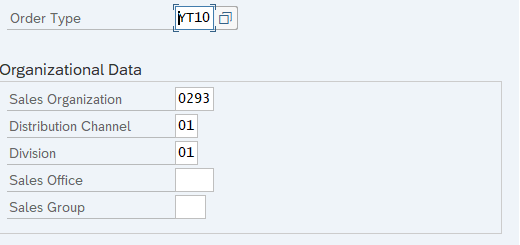
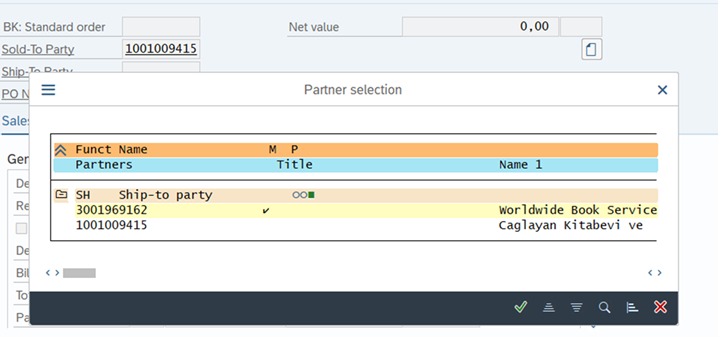
Start off by entering the “Sold-to-Party” and then, if necessary, choose the correct “Ship-to party” from the pop-up list.
If no other ship to address is mentioned, please choose default



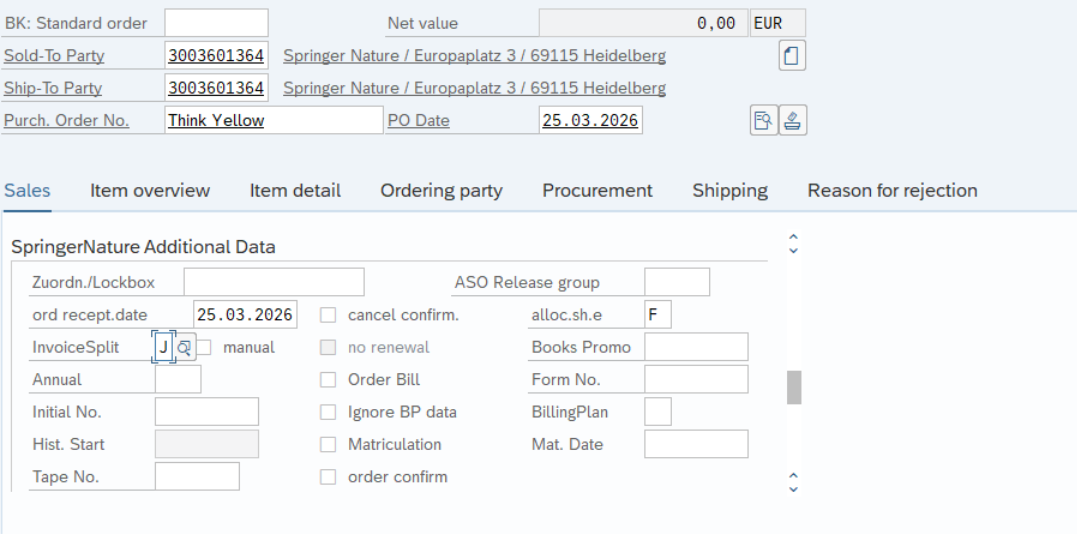
Enter the promotion code xyz (for example Think Yellow) and - if forwarded – the customer reference, “PO date” and “order recept. Date”,” InvoiceSplit”: J (yes):



For all orders forwarded before April 1st, 2026 please change “Pricing date” to 01.04.2026 (As of April 1st, 2026 this step can be ignored):


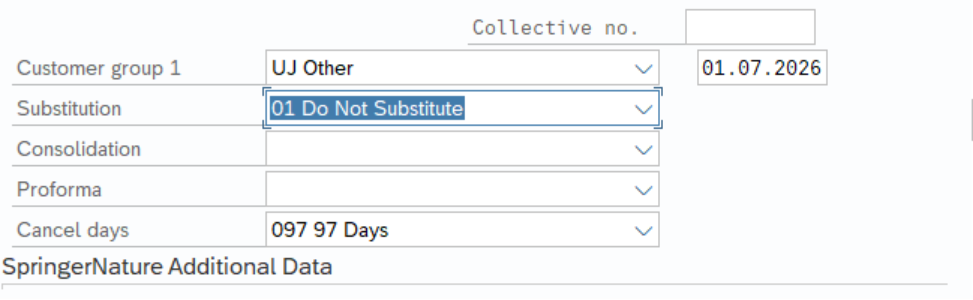
go to “Substitution” and choose: “Do Not Substitute”, please change cancel days: 01.07.2026 (this date has to be changed to 31.07.2026 as of 01.07.2026)



Go to header details:

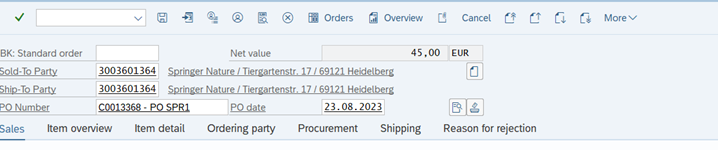
Go to card “Shipping”: please untick “Order Combination”:

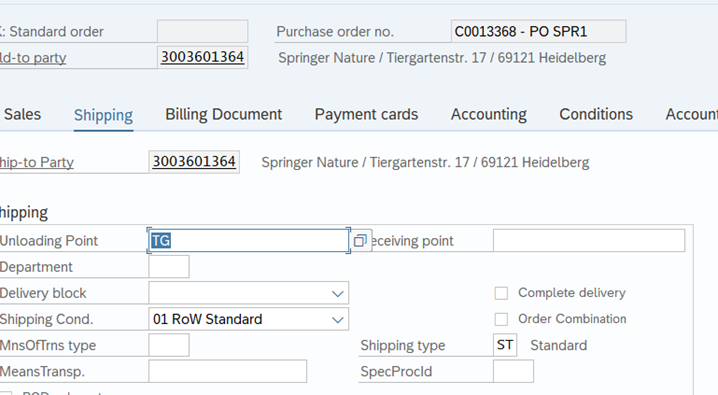
For all orders forwarded before April 1st, 2026:
Go to card “Texts”
add the following on “BK: delivery text (S.D ext.)” and “BK: invoice text (S.D.I ext)” the following text:
“Please note: Yellow Sale Prices may not be applied before April , 1st, 2026”
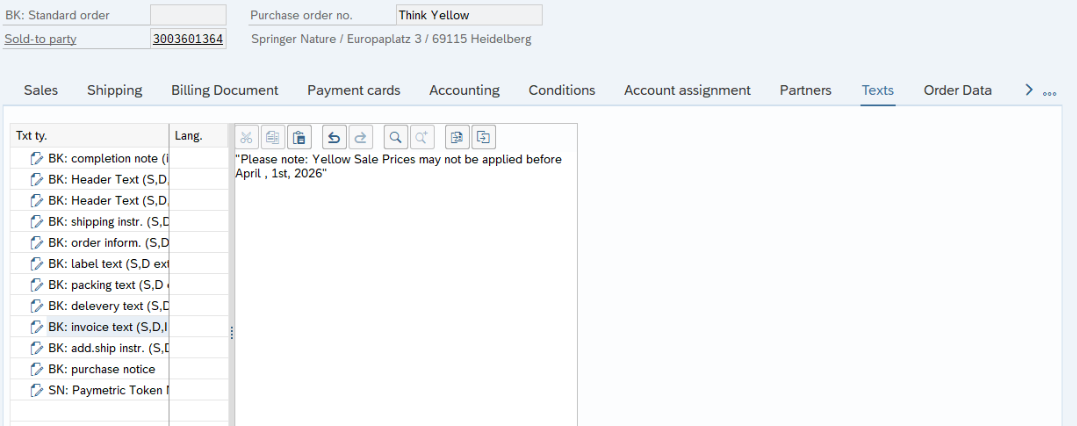
As of April 1st, 2026 this step can be ignored.
For all Yellow Sale orders coming in after 30.06.2026 which are authorized still to be processed as Yellow Sale orders from Teams DACH or ROW and Sale please change Pricing date to 29.06.2026.
please note whether further special instructions were sent with the order
please enter correct ISBNs and quantities:

Go to Card “Order Data” and enter Freshdesk Ticket ID in “Your Reference”
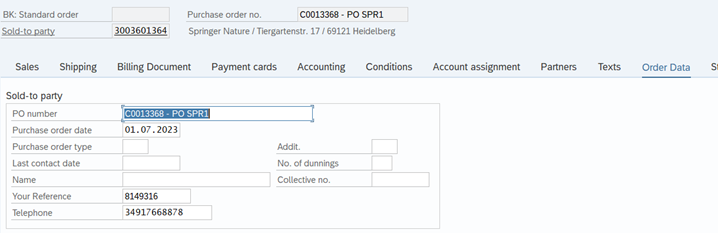
Please save the order
Contacts
For questions or feedback please send an e-mail to kerstin.meissner@springernature.com