
A single journal may be hosted on more than one Springer Nature or third‑party platform. As COUNTER reports are platform based, usage is reported separately for each platform.
If you want to analyse total usage for a journal across all platforms, you will need to combine the data manually.
Example: Journal Nature & Nature branded content
- Go to: https://librarian.springernature.com/counter-5-1.
- Under Platform, select All Platforms.
- Under File Format, choose CSV (Comma Separated Values) or TSV (Tab Separated Values).
- Download the Title Report (TR) or a relevant Standard View, depending on your analysis needs (RE: COUNTER Reports: The analytical framework).
- Open the file in Excel and:
a.) Use Text to Columns if needed
b.) Create a pivot table to summarise usage (you can structure this according to your preferences)
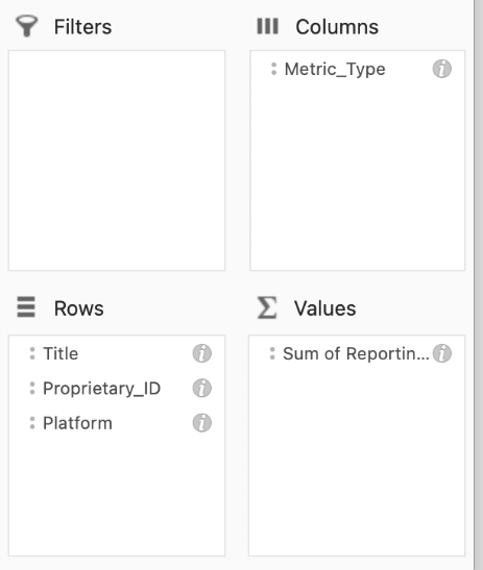
6. Filter the data for the journal(s) you’re interested in (e.g., Nature & Nature branded journals).
a.) For best results, filter using the Proprietary_ID, as this uniquely identifies the title across platforms.
7. (Optional) Apply additional filters, such as Metric_Type (e.g., Total_Item_Requests or Unique_Item_Requests), depending on what you want to analyse.