
BR059 TR DACH_ROW Blue Sale 2024 order | VA01 |
TABLE OF CONTENTS
Functional Description
MPS order entry ROW Blue Sale (July 1− September 30, 2024)
Introduction
Please note that this email may contain sensitive or confidential customer data. If so, and to ensure we comply with Data Protection regulations, please delete after actioning or ensure appropriate protection in case there is a retention requirement (e.g. to prove that action has been taken).
In Use For
| Freshdesk | In use for | Action |
| Trade_Books_DACH_Straive | X | |
Trade_Books_ROW_STRAIVE | X | |
Trade_Asia_Books_Straive | X |
Standard order
VA01, exclusively using order type YT10
Enter usual customer data; the order reference has to be BS24BKS + customers reference
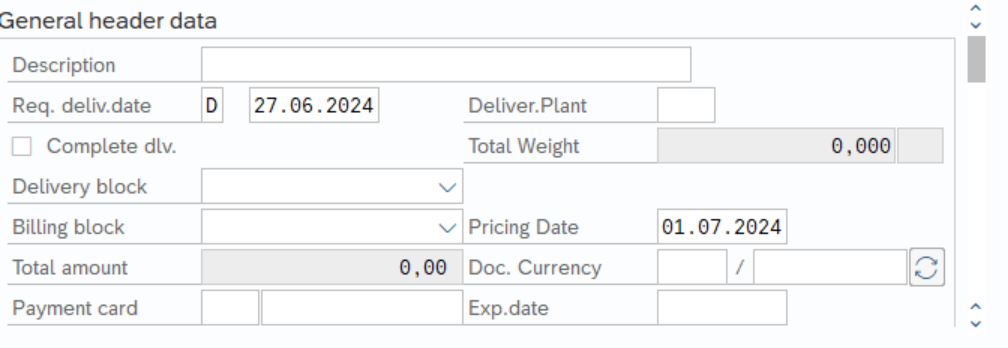
IMPORTANT: For all orders forwarded before July 1st, 2024 please change “pricing date” to 01.07.2024.

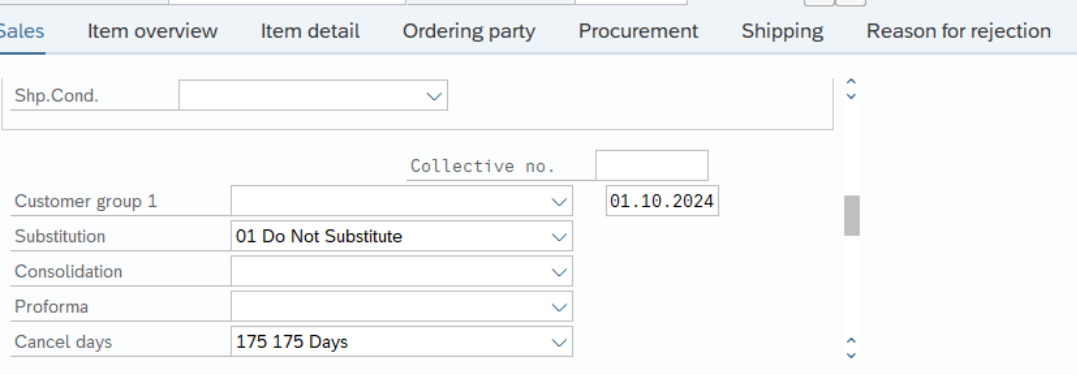
If you scroll down on Sales card please open the Substitution dropdown and choose
01 do not substitute; then please enter under “cancel days” 01.10.2024 (this date has to be changed to 31.10.2024 as of 01.09.2024)



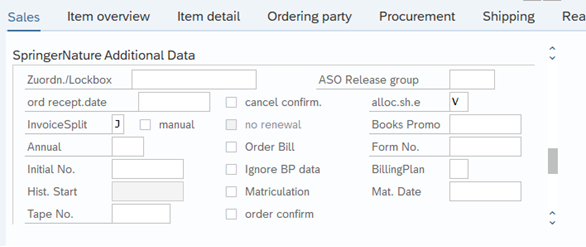
Then scroll further down on Sales card to “Springer Additional Data”, here please enter “BillingSplit” J

Go to header details:

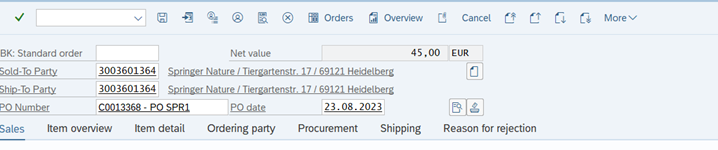
Go to card “Shipping”: please untick “Order Combination”:


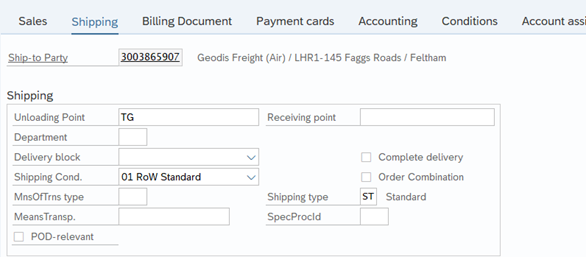
For all Blue Sale orders coming in after 30.09.2024 which are still authorized to be processed as Blue Sale orders from CS and/or Sale please change pricing date to 01.07.2024.
Handling in Freshdesk:
Any other/further special instructions on Blue Sale orders will be forwarded in Freshdesk Ticket ID via “Add Note”.
Please enter Ticket ID in your created order under Header Data > Order Data Tab > Your Reference
Finally set Ticket on Resolved.
Contacts
For questions or feedback please send an e-mail to johannes.griebl@springernature.com