
Single ebook Trade |
|
TABLE OF CONTENTS
Functional Description
single ebook billing
Functional Specification
In exceptional cases, we may receive requests from our sales colleagues to charge single eBooks to booksellers. In this case, we will create a debit for the bookseller.
if known, we will add the end customer details to the invoice text
If the bookseller does not have a credit account, but is a proforma customer, approval must be obtained from our credit control colleagues before the invoice is created.
Please provide the relevant sales colleagues with the debit note number and they will either contact us or the customer with the VitalSource code (s).
Introduction
Introduction text
Please note that this email may contain sensitive or confidential customer data. If so, and to ensure we comply with Data Protection regulations, please delete after actioning or ensure appropriate protection in case there is a retention requirement (e.g. to prove that action has been taken).
In Use For
| Freshdesk | In use for | Additional action |
| Trade_Books_DACH_Straive | X | |
Trade_Books_ROW_STRAIVE | X | |
Trade_Asia_Books_Straive | X | |
Trade_DACH_Wholesaler_Straive |
Transaction VA01
SCSC Books Sales Area Data:
YL11 BK: Debit Memo Value

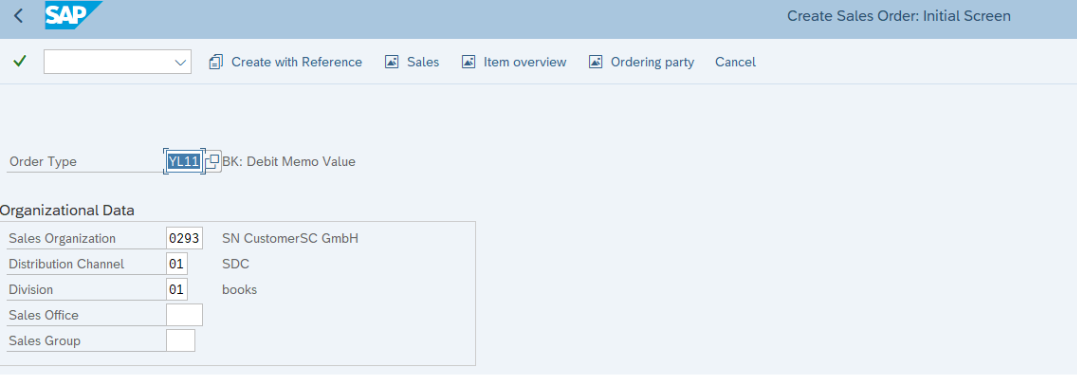
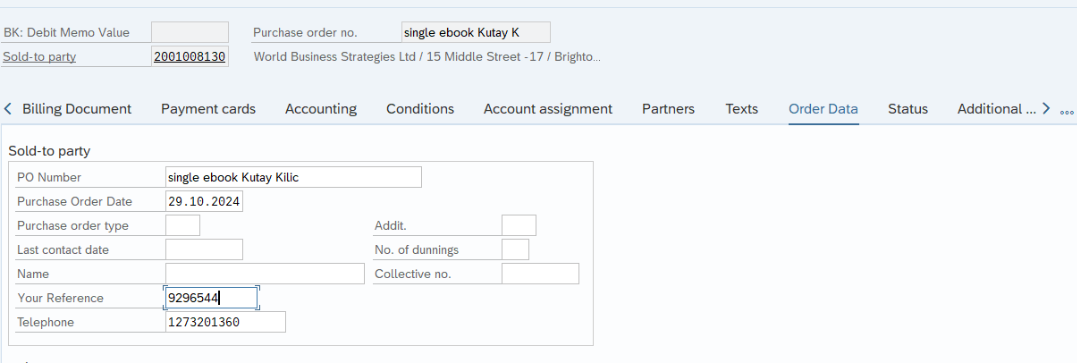
Please enter Sold-to Party and ebook ISBN and if known add endcustomer name to Purch. Order No.


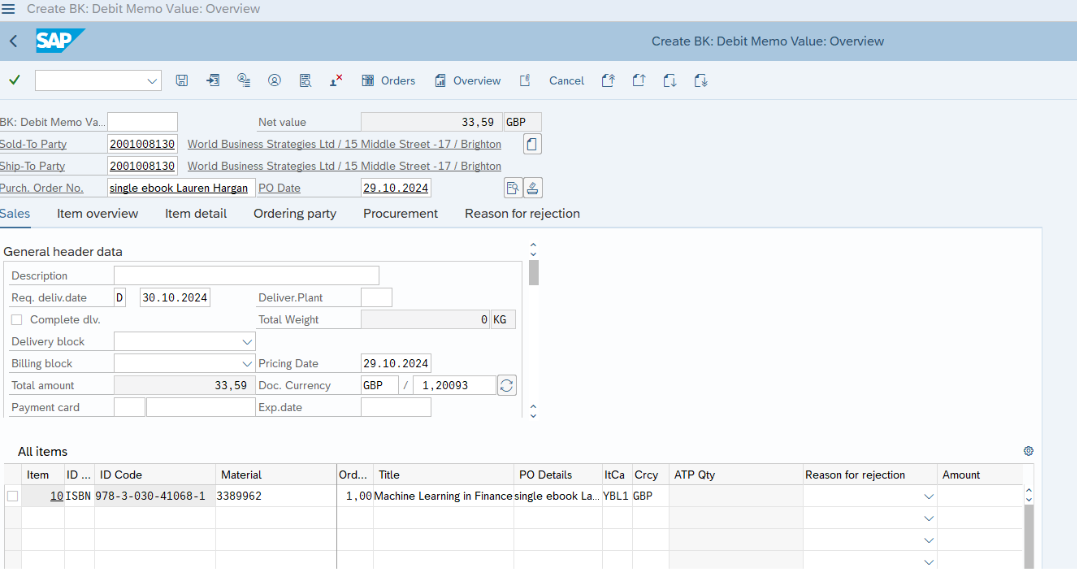
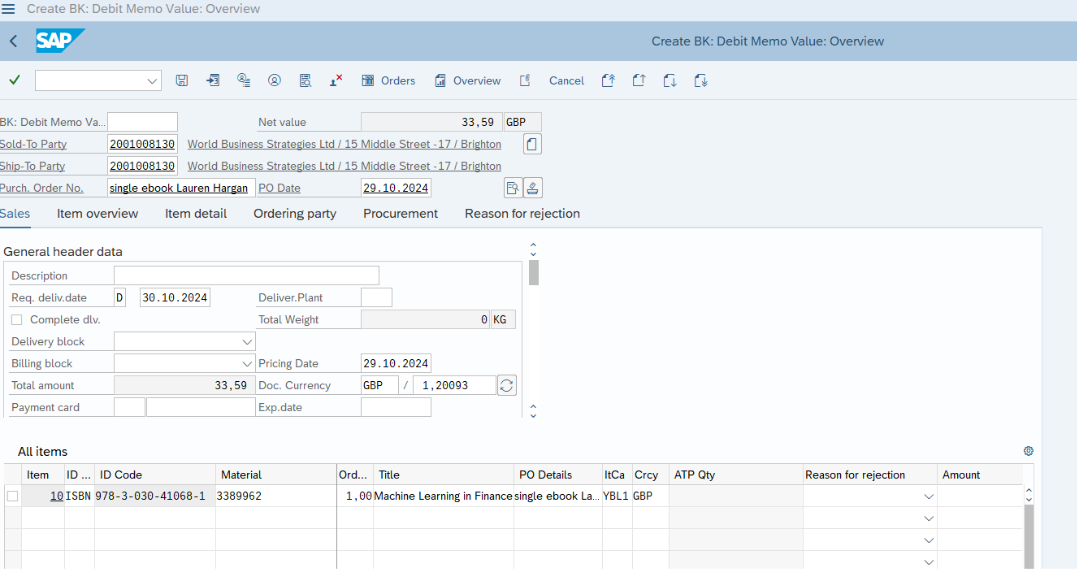
Please go to header data
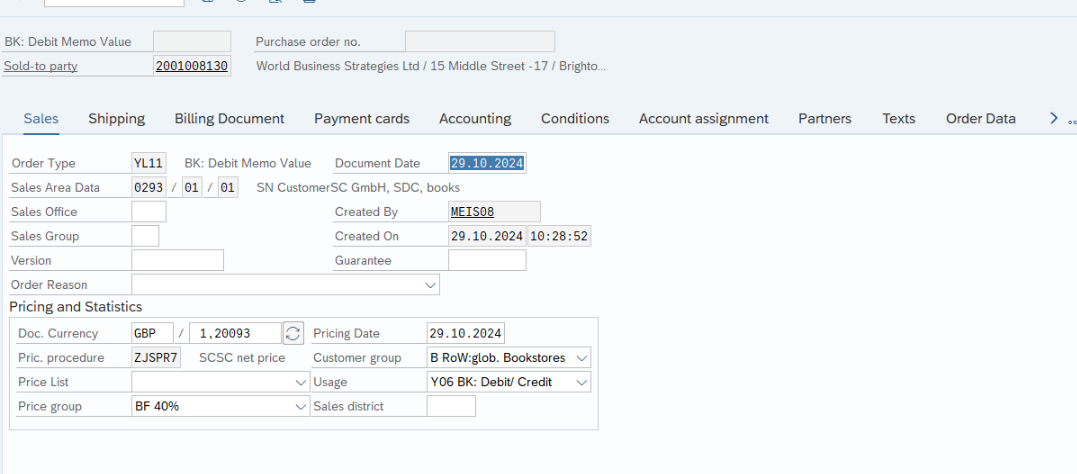
Go to tab Conditions

Click on symbol: plus
Choose ZJMR
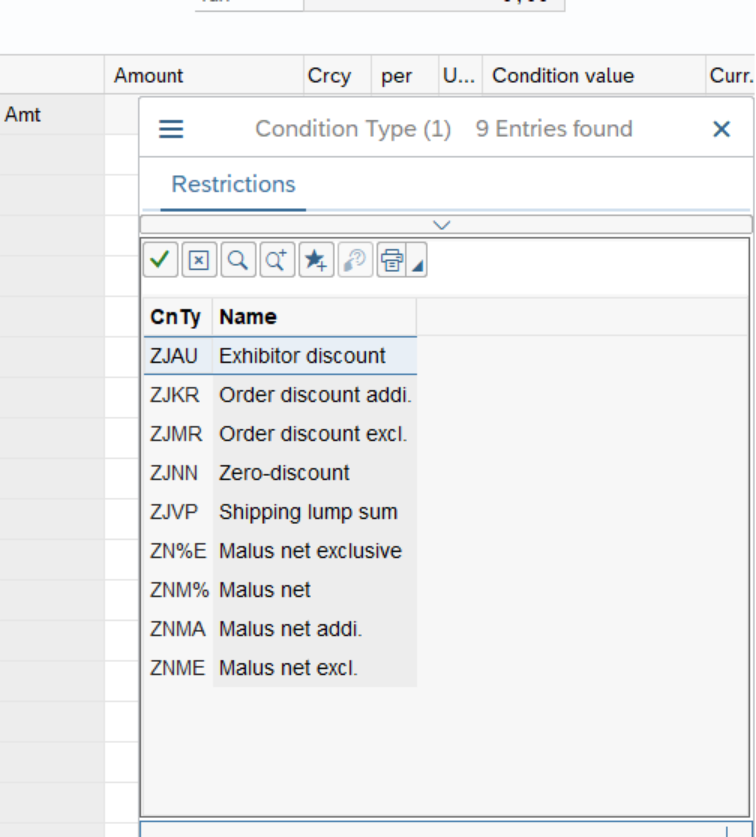
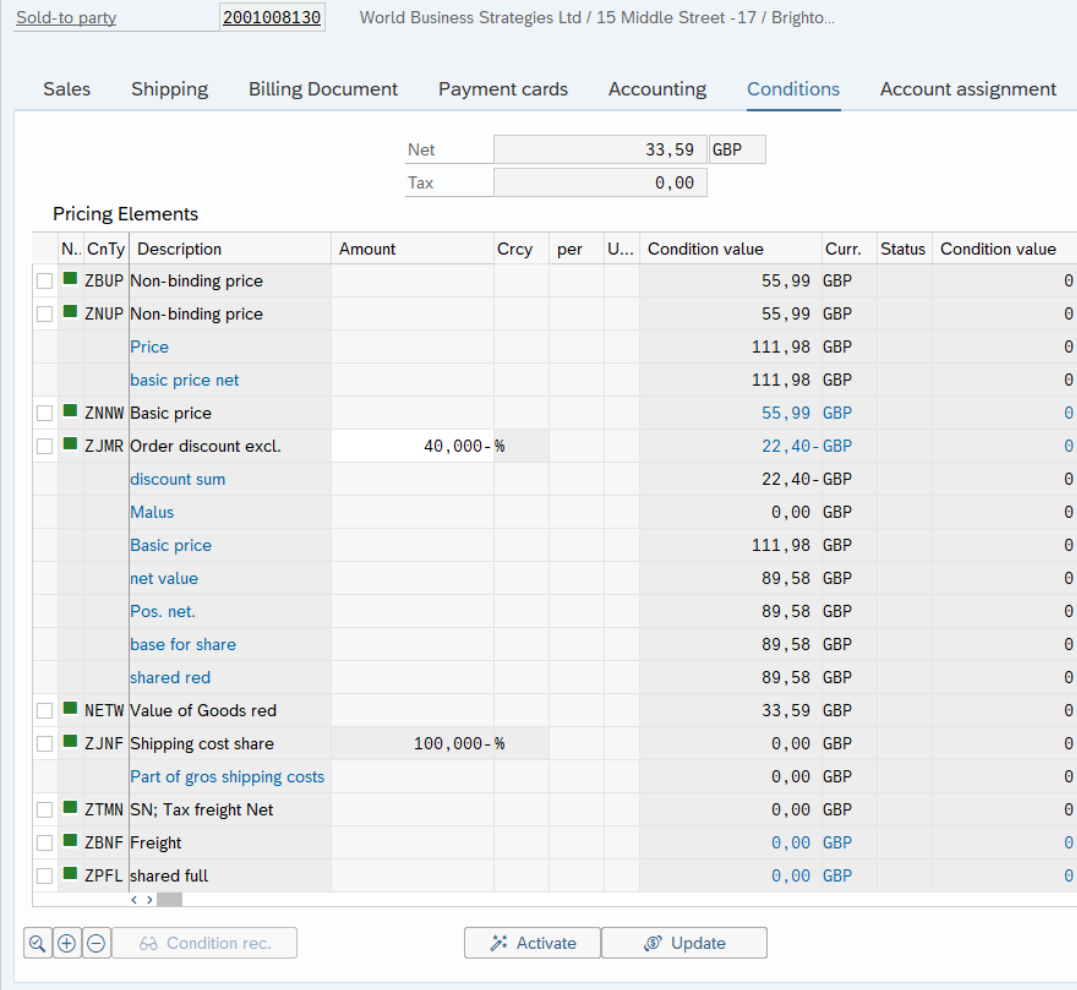
Insert discount (provided by sales colleague), enter and Activate

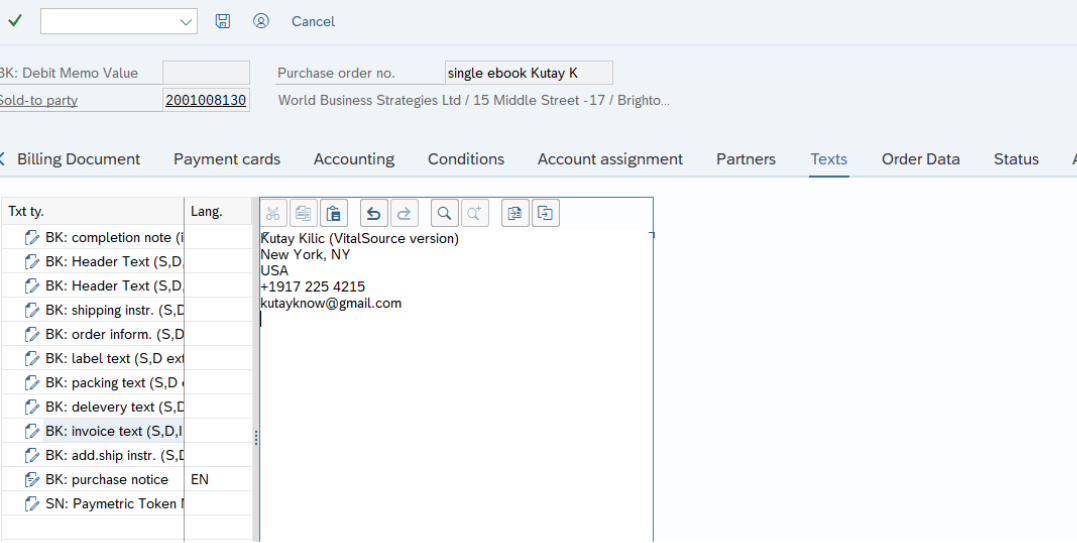
If endcustomer details are known, please
Go to Tab Texts and choose BK: invoice text and enter details



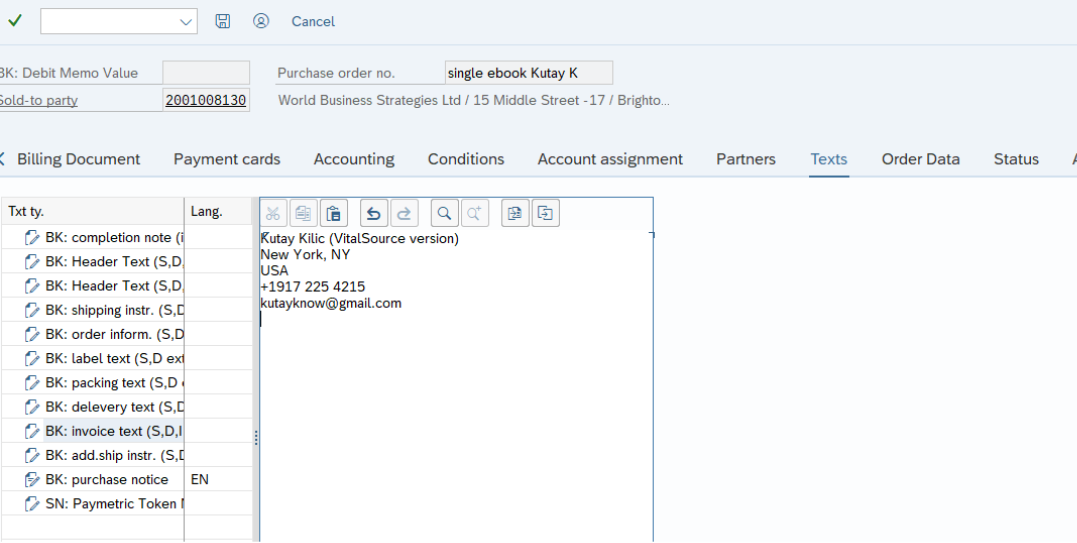
Go to Tab Order Data and add ticket number to Your Reference


Go to Sales Document and choose Billing
Please click on save
Please provide the relevant sales colleagues with the invoice number and they will either contact us or the customer with the VitalSource code (s).
Contacts
For questions or feedback please send an e-mail to kerstin.meissner@springernature.com